Whether you want to troubleshoot a crashing game, clear out old content, or make room for new additions, uninstalling mods in Minecraft Java Edition is a straightforward process. This guide will show you how to safely locate and remove unwanted files from your game directory without harming your worlds.
Removing certain mods from an existing survival world can corrupt your save data or delete custom items added by that mod. Always back up your world before making major changes to your mod list!
Close Minecraft Completely
Before making any changes to your game files, make sure your Minecraft launcher and the game itself are completely closed. If the game is running, it may lock the mod files and prevent you from deleting them.
Open Your Minecraft Folder
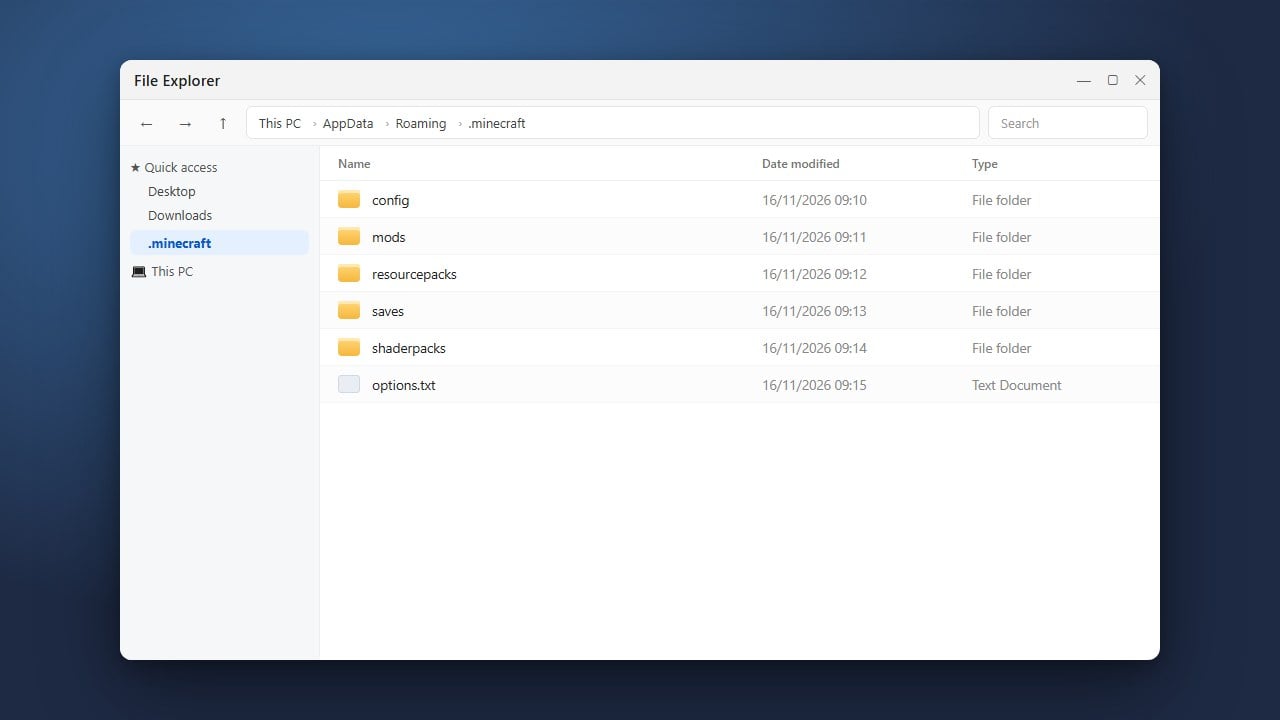
Next, you need to access your game directory where your files are stored. If you aren't sure where this is, check our guide on how to find your .minecraft folder for quick shortcuts on Windows and Mac.
Navigate to the Mods Directory
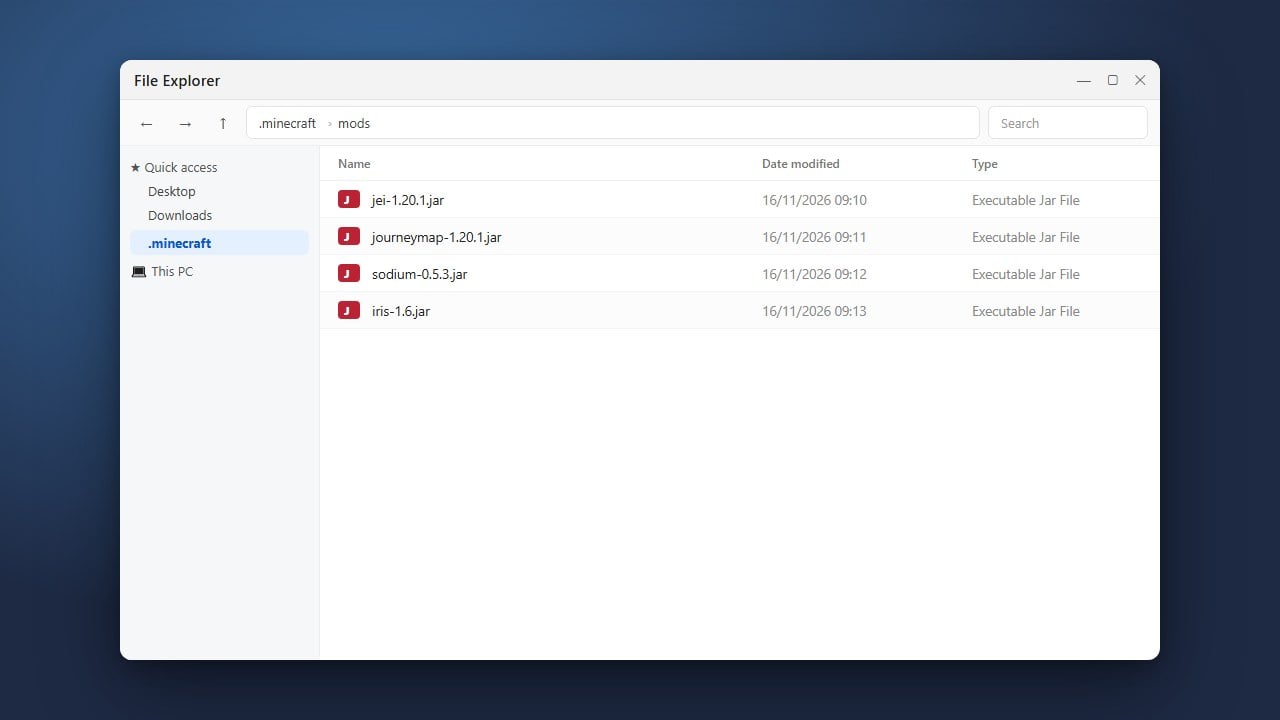
Inside your main Minecraft directory, look for a folder named mods. Open this folder to see a complete list of all the Java Edition modifications currently installed on your system.
Delete the Unwanted Mod Files
Find the .jar or .zip file corresponding to the mod you wish to remove. Simply delete the file or drag it to your computer's recycling bin or trash. Make sure you only delete the specific mod files you no longer want.
Check for Dependencies and Config Files
Many mods require companion mods or libraries to run, such as the Fabric API. If you are removing a mod, check if it left behind any configuration files in the config folder that you might also want to clean up.
Frequently Asked Questions
Will uninstalling mods delete my Minecraft worlds?
No, uninstalling mods from the mods folder only removes the modification files. However, loading a world without a mod that it relied on may cause blocks or items from that mod to disappear from your game.
How do I remove mods in Bedrock Edition?
Bedrock Edition uses behavior packs and resource packs instead of Java mods. You can uninstall them directly from the game by going to Settings > Storage, selecting the world or global packs, and deleting the desired pack.