
A memory leak in Minecraft happens when the game consumes more and more RAM over time until it stutters, freezes, or crashes entirely. This guide will walk you through proven methods to identify memory issues, free up RAM, and stabilize your game performance on both Java and Bedrock editions.
Allocate More RAM (Java Edition)
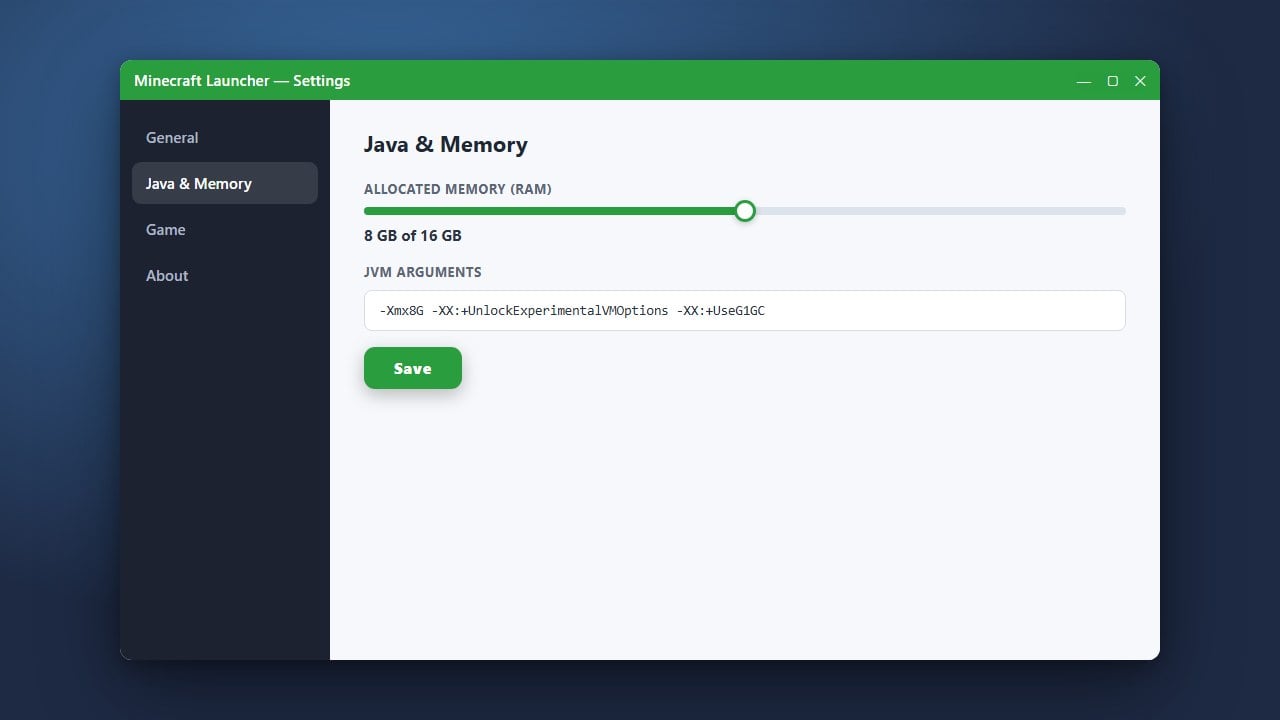
By default, Java Edition only allocates 2GB of RAM, which can quickly lead to memory exhaustion if you run heavy resource packs or mods. Open your official Minecraft Launcher, go to the Installations tab, click the three dots next to your active profile, and select Edit.
Click More Options and look for the JVM Arguments box. Find the segment that reads -Xmx2G and change the 2G to a higher value like 4G or 6G depending on your system's total memory. For more detailed instructions, check out our guide on How to Allocate More RAM to Minecraft.
Remove or Update Faulty Mods (Java Edition)
Outdated or poorly optimized mods are the leading cause of memory leaks in modded Java playthroughs. If your game's memory usage steadily climbs while sitting in a single-player world, a mod is likely failing to release unused assets from your computer's RAM.
Check your latest log files or review How to Read a Crash Report to pinpoint which mod might be looping background tasks. Try removing recently added mods one by one or updating all installed mods to their latest versions compatible with your game version.
Lower Video Settings and Render Distance
High render distances, heavy simulation distances, and high-resolution resource packs force your hardware to store massive amounts of chunk data in memory. Lowering these settings reduces the strain on your system and helps prevent sudden spikes in RAM usage.
Navigate to your in-game Options > Video Settings and dial down your render distance, turn off fancy graphics, and limit your maximum frame rate. If you are experiencing general stuttering alongside memory spikes, follow our tips on How to Increase FPS in Minecraft.
Clear Background Applications
Memory leaks are sometimes worsened if your computer is already low on available RAM due to other background software running simultaneously. Web browsers like Chrome and heavy communication apps consume significant memory resources that Minecraft desperately needs.
Before launching the game, close unnecessary background apps using your system's task manager. Ensuring your operating system has plenty of free breathing room prevents Windows or macOS from starving Minecraft of necessary memory allocations.
Reinstall or Repair the Game Files
Corrupted game installation files can cause caching loops that steadily consume system memory over time. For Bedrock Edition users on Windows or console, make sure your game is fully updated to the latest patch through your platform's store.
For Java Edition, backing up your worlds using How to Back Up Your World before a clean reinstallation ensures you won't lose progress while clearing out corrupted cache directories.
Frequently Asked Questions
What causes a memory leak in Minecraft?
A memory leak is usually caused by software bugs in mods, outdated Java runtime environments, or corrupted cache files that fail to clear old data out of your RAM as you play.
Does Bedrock Edition suffer from memory leaks?
While Bedrock Edition is coded in C++ and generally manages memory much better than Java, memory leaks can still occur due to corrupted world data, insufficient system memory, or outdated platform drivers.
















