Experiencing sudden frame rate drops or stuttering can ruin your gameplay, whether you are exploring caves or building big structures. This guide covers easy methods to boost your frame rates and keep Minecraft running smoothly on both Java and Bedrock editions.
Lower Your In-Game Video Settings
The easiest way to gain immediate performance is by reducing heavy graphical settings. Open your in-game Pause Menu, go to Options, and select Video Settings.
Lower your Render Distance, turn down Simulation Distance, set Graphics to Fast, and turn off VSync or Smooth Lighting if your hardware struggles. For Java Edition players, you can also lower particle effects and clouds.
Allocate More RAM to Minecraft (Java Edition)
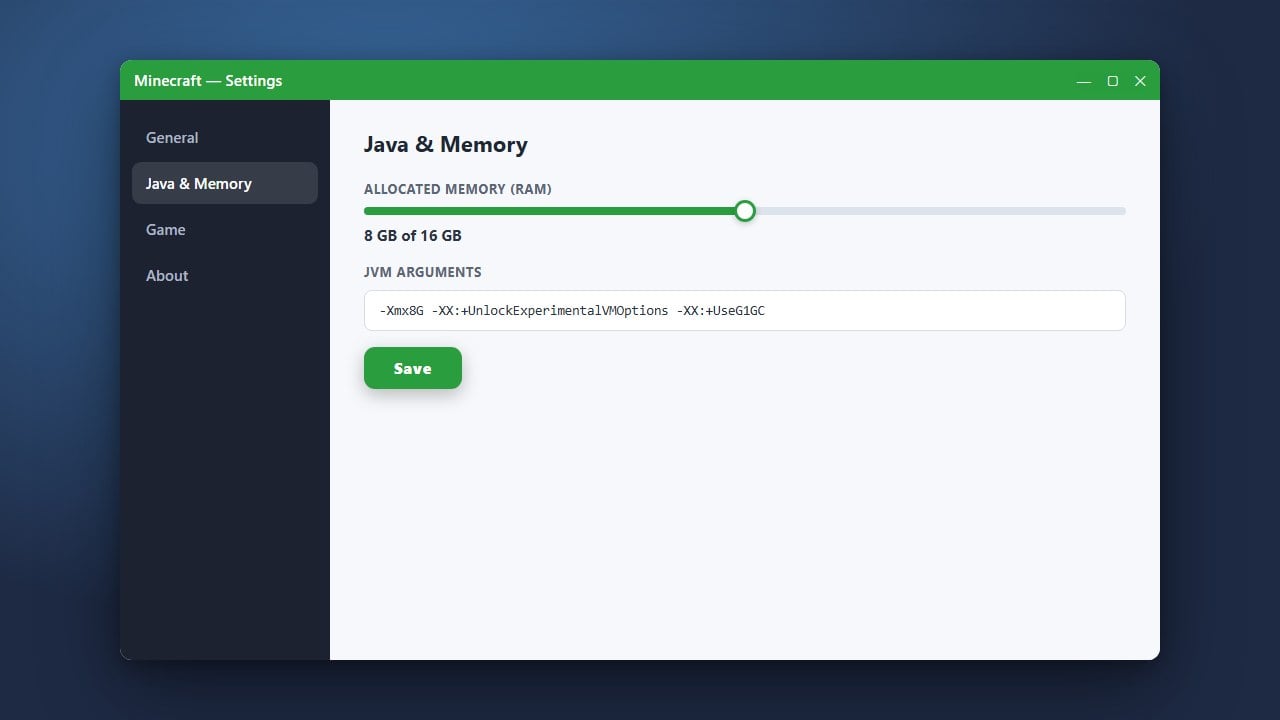
If you are playing Java Edition, running out of assigned memory can cause massive frame drops and stuttering. You can fix this by following our guide on How to Allocate More RAM to Minecraft to give the game enough breathing room.
Make sure not to assign all of your computer's RAM, as your operating system needs memory to function properly.
Install Performance Mods (Java Edition)
Java Edition benefits massively from community-made optimization mods. Installing performance mods like Sodium, Lithium, or embedding them through the Fabric loader can dramatically increase your FPS and eliminate stuttering compared to the vanilla game.
Always make sure you download these mods from trusted official sources and match them to your exact Minecraft version.
Update Your Graphics Drivers
Outdated graphics drivers are a very common cause of sudden FPS drops, graphic glitches, and low performance. Visit the official website for your GPU manufacturer—NVIDIA, AMD, or Intel—to download and install the latest drivers for your graphics card.
After updating your drivers, restart your computer completely before launching Minecraft again.
Adjust Power Plan Settings
If your computer is running on a power-saving mode (especially common on laptops), it will throttle your hardware performance to save battery. Open your operating system's Control Panel or Settings, search for Power Options, and switch your plan to High Performance.
This ensures your CPU and GPU run at their maximum capacity while you are playing.
Frequently Asked Questions
Why is my Minecraft lagging even with a good PC?
Even high-end PCs can experience lag if Minecraft is using the integrated graphics card instead of your dedicated GPU, or if the game lacks proper RAM allocation in Java Edition.
Do performance mods work on Bedrock Edition?
No, optimization mods like Sodium are exclusive to Java Edition. Bedrock Edition runs on a different engine and is naturally optimized, but you can still improve its performance by lowering in-game video settings and updating your device drivers.