Welcome to the ultimate Minecraft glossary! Whether you are brand new to the game or an experienced player brushing up on your technical vocabulary, understanding common terminology makes playing and discussing Minecraft much easier. This guide breaks down the most important words and concepts across Java and Bedrock editions.
World and Generation Terms
Minecraft worlds are generated procedurally using unique world codes. A Seed is a string of characters or numbers used to generate a specific world map; sharing this code lets other players build in the exact same landscape. As you explore, the world loads in sections called Chunks, which measure 16 blocks wide by 16 blocks long all the way from the bottom of the world to the top. Each region you visit features a distinct Biome, which defines the local weather, plant life, and block colors—such as snowy taigas, lush jungles, or arid deserts.
Gameplay and Entities
When you play, you will interact with many moving parts of the world. Any living, moving character in the game—including animals, monsters, and villagers—is classified as a Mob. More broadly, an Entity is any active object in the game world, which covers mobs, dropped items, moving minecarts, and even flying arrows. You can learn more about how these interact in our Mob vs Entity: What Is the Difference? guide.
Technical and Customization Terms
Modifications and customization can drastically change your experience. A Mod is a community-created modification for Java Edition that adds new blocks, mechanics, and items, whereas Add-ons are official customization packages used in Bedrock Edition. To change how the game looks without altering gameplay, players use Resource Packs, which replace textures, sounds, and UI elements. If you want to dive deeper into custom content, check out Mod vs Add-on vs Plugin: What Is the Difference? for full details.
Editions and Version Control
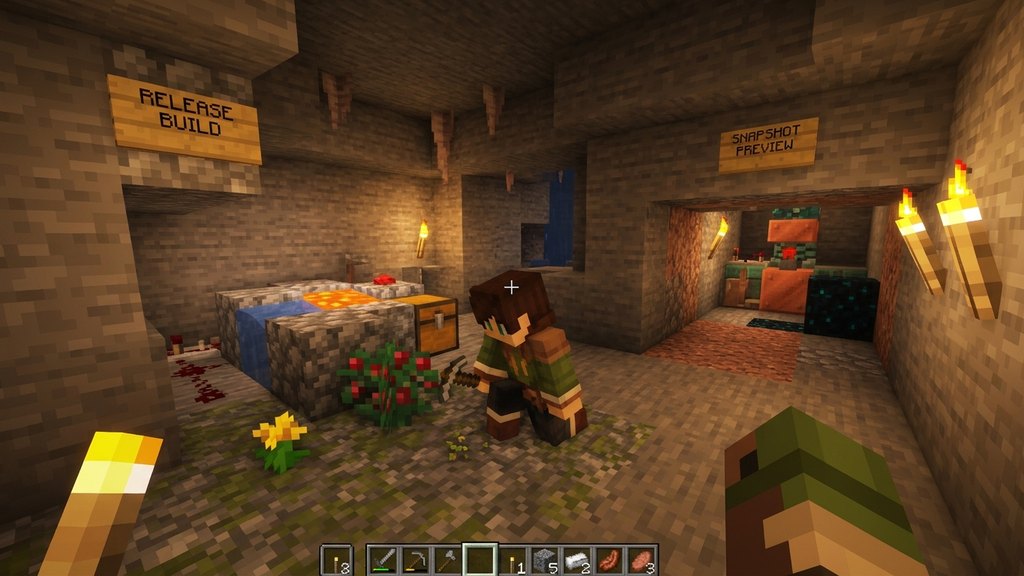
Minecraft is split into two major official versions: Java Edition (exclusive to PC with heavy mod support) and Bedrock Edition (available on consoles, mobile, and PC with crossplay). To understand which version suits you best, read Java vs Bedrock Edition: What Is the Difference?. Developers also release test versions called Snapshots on Java or Preview/Beta builds on Bedrock to let players test upcoming features before they hit the main stable release.
Frequently Asked Questions
What is the difference between a seed and a chunk?
A seed is the master code used to generate an entire world from scratch, while a chunk is a small 16x16 column of blocks that the game actively loads around your player as you explore.
Are texture packs and resource packs the same thing?
Not quite! Older versions used texture packs to change just the graphics, but modern Minecraft uses resource packs, which can also change sounds, languages, fonts, and 3D models.