Villages are some of the most rewarding structures in Minecraft, offering trading opportunities, food, beds, and early equipment. Whether you want to trade with librarians or learn how to breed villagers for custom trading halls, knowing where and how to look makes locating your first settlement quick and effortless.
If you happen across an abandoned zombie village, you can learn how to cure a zombie villager to repopulate the town and earn deep trading discounts.
Bring a bed while exploring. Sleeping immediately when dusk arrives avoids phantoms, prevents zombie sieges, and keeps villagers safe from hostile mob raids.
Search Only in Biomes That Generate Villages
Villages do not spawn randomly in every biome. Focus your search specifically on Plains, Desert, Savanna, Taiga, Snowy Plains, and Meadow biomes. Do not waste daylight searching through dense jungles, dark forests, swamps, or jagged peaks, as standard villages will never spawn there naturally.
Increase Your Render Distance and Climb High Ground
Open your video settings and raise your render distance to 12 chunks or higher if your hardware allows. Climb hills, mountains, or build a quick dirt pillar to scan the surrounding terrain. Spotting rectangular roofs, cobblestone chimneys, or cultivated crop patches is much easier from an elevated vantage point.
Travel Across Oceans and Rivers in a Boat
Running across rough terrain drains your hunger bar quickly and slows your progress. Instead, craft an oak or spruce boat and navigate along wide rivers and coastlines. Many plains, desert, and savanna villages generate right against shorelines, allowing you to scout vast distances rapidly while consuming zero hunger.
Watch for Telltale Signs of a Settlement
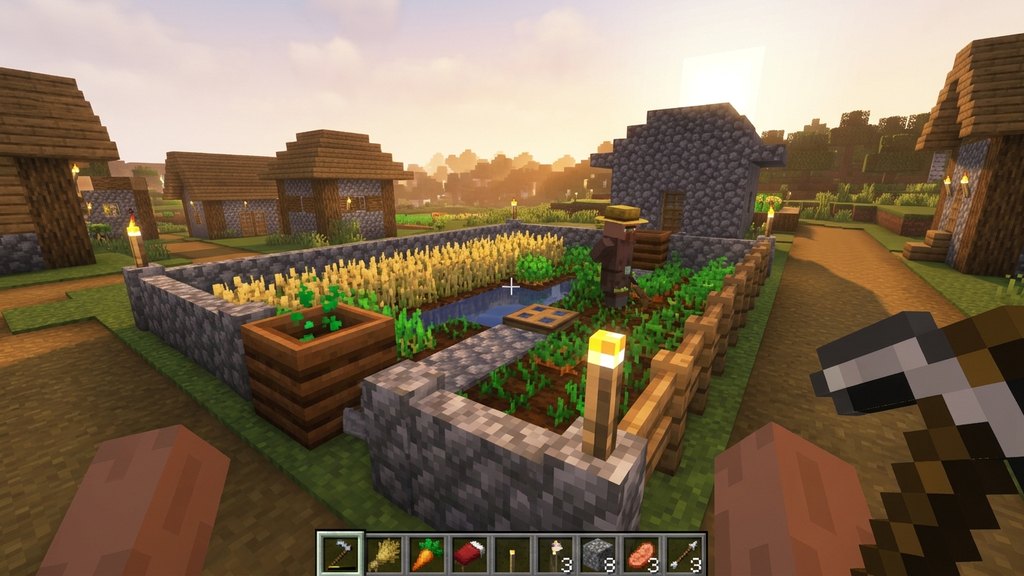
Keep an eye out for indirect clues that reveal a nearby settlement before you even see the houses. Wandering stray cats, wandering iron golems, dirt path blocks cutting through grass, and torches glowing in the dark during twilight all indicate that a village center is within a few dozen blocks.
Use the Locate Command if Cheats Are Enabled
If you play in a world with cheats or commands enabled, press the chat key and type /locate structure #minecraft:village in Java Edition, or /locate structure village in Bedrock Edition. The game will display the exact coordinates of the closest settlement, which you can reach on foot or via teleportation.
Frequently Asked Questions
What is the easiest biome to spot a village in?
Desert and Plains biomes are usually the easiest because the flat terrain provides clear lines of sight, making sand towers, lampposts, and crop patches visible from several hundred blocks away.
Can I find villages using my world seed?
Yes. If you know your world seed (type /seed in Java or check your world settings in Bedrock), you can enter it into external online seed mappers to view the exact coordinates of every village in your world.