A beacon is one of the most rewarding late-game structures in Minecraft, projecting a brilliant skyward beam that grants continuous buffs like Haste, Speed, and Regeneration to nearby players. Whether you are clearing massive underground caverns or defending your primary base, setting up a fully powered beacon pyramid is simple once you know the required materials and layer layouts.
Craft the Beacon Block
Before constructing your base, craft the beacon block at a crafting table using 1 Nether Star, 3 Obsidian, and 5 Glass. Place the 3 Obsidian along the bottom row, the Nether Star in the exact center slot, and fill the remaining five spaces with Glass.
You obtain a Nether Star only after you defeat the Wither, so ensure you have conquered that boss fight before attempting to build your beacon.
Gather Your Mineral Blocks
To activate a beacon, you must build a solid pyramid underneath it using blocks of Iron, Gold, Emerald, Diamond, or Netherite. You can mix and match these mineral blocks freely without altering the beacon's performance.
Because a full tier-4 pyramid requires 164 mineral blocks (equivalent to 1,476 individual ingots or gems), setting up an efficient automated source such as a iron farm is the fastest way to obtain the materials in Survival mode.
Construct the Pyramid Base
Decide which tier pyramid you want to build. Beacons function across four possible pyramid sizes, each unlocking stronger powers and wider range:
- Level 1 (9 blocks): A simple 3x3 platform.
- Level 2 (34 blocks): A 5x5 base topped with a 3x3 layer.
- Level 3 (83 blocks): A 7x7 base, followed by a 5x5 layer, topped with a 3x3 layer.
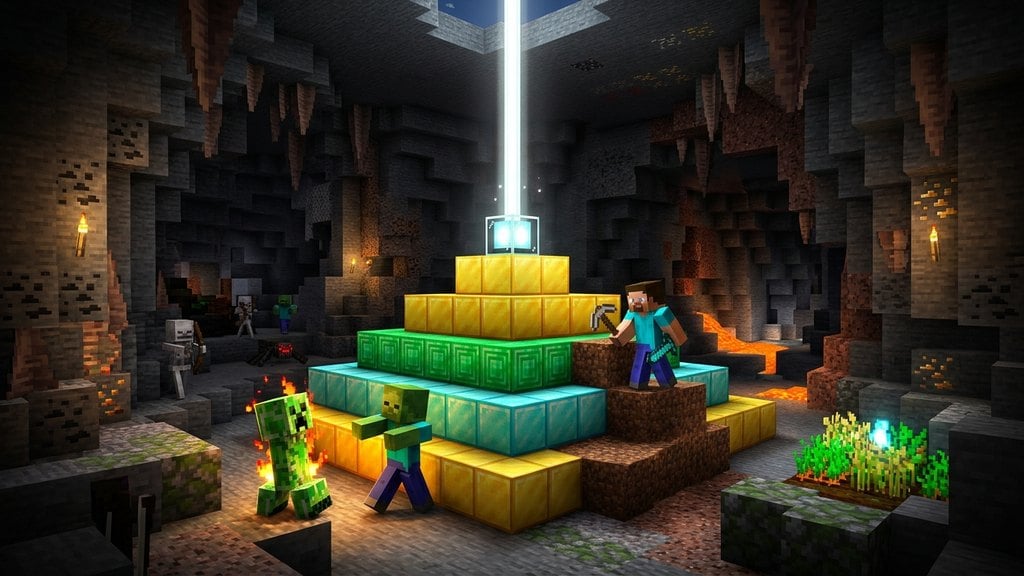
- Level 4 (164 blocks): A 9x9 base, followed by 7x7, 5x5, and 3x3 layers.
Ensure the interior of each layer is completely solid with mineral blocks; hollow pyramids will not activate the beacon.
Place the Beacon with Sky Access
Place your beacon block on the single center block at the very top of your 3x3 layer. The beacon must have an unobstructed view of the sky to activate; opaque blocks directly above it will prevent the beam from shooting upward.
Transparent blocks such as glass, stained glass, water, or fence posts can be placed directly above the beacon without disabling it. You can place stained glass over the beacon to change the color of the light beam.
Feed Payment and Select Your Powers
Interact with the beacon block to open its interface. Insert a single payment item—one Iron Ingot, Gold Ingot, Emerald, Diamond, or Netherite Ingot—into the designated slot at the bottom.
Click on your desired Primary Power on the left side (such as Speed or Haste). If you built a full Level 4 pyramid, you can also select Regeneration or a Level II upgrade for your primary power on the right side. Press the green checkmark icon to activate your beacon effects.
Frequently Asked Questions
Can I mix iron, gold, emerald, and diamond blocks in the same pyramid?
Yes. You can mix and match any valid mineral blocks (Iron, Gold, Emerald, Diamond, and Netherite) throughout the pyramid without penalty. The beacon powers and range remain identical regardless of the material used.
How far does the beacon's buff effect reach?
The range extends horizontally from the beacon depending on the pyramid tier: 20 blocks for Level 1, 30 blocks for Level 2, 40 blocks for Level 3, and 50 blocks for Level 4. Vertically, the buff extends infinitely upward and down to the world build limit.
Do I need to pay an ingot every time I enter the beacon's range?
No. You only spend one mineral item when initially choosing or changing powers. Once selected, the beacon emits the selected effects infinitely to all players in range until you manually reconfigure it.