Leads are essential tools in Minecraft for moving farm animals, pets, and hostile mobs where you want them. Whether you are setting up an animal pen or transporting a wandering trader's llama, knowing how to craft a lead makes animal husbandry much easier.
You can also obtain leads without crafting by defeating wandering traders or untying the leashed wandering trader llamas!
Gather 4 Strings
To make a lead, you first need to collect 4 pieces of string. You can easily obtain string by destroying spider webs with a sword or by defeating spiders and cave spiders that spawn at night or in dark caves and dungeons.
Obtain 1 Slimeball
The final ingredient you need is 1 slimeball. Slimeballs are dropped by slimes, which typically spawn in slime chunks underground or in swamp biomes at night. If you are working on animal management, you might also want to check out our guide on How to Breed Animals to grow your livestock population.
Open Your Crafting Table
Right-click or tap on your 3x3 Crafting Table to open the crafting grid interface. If you do not have one yet, you will need to make one using wood planks.
Arrange the Items on the Grid
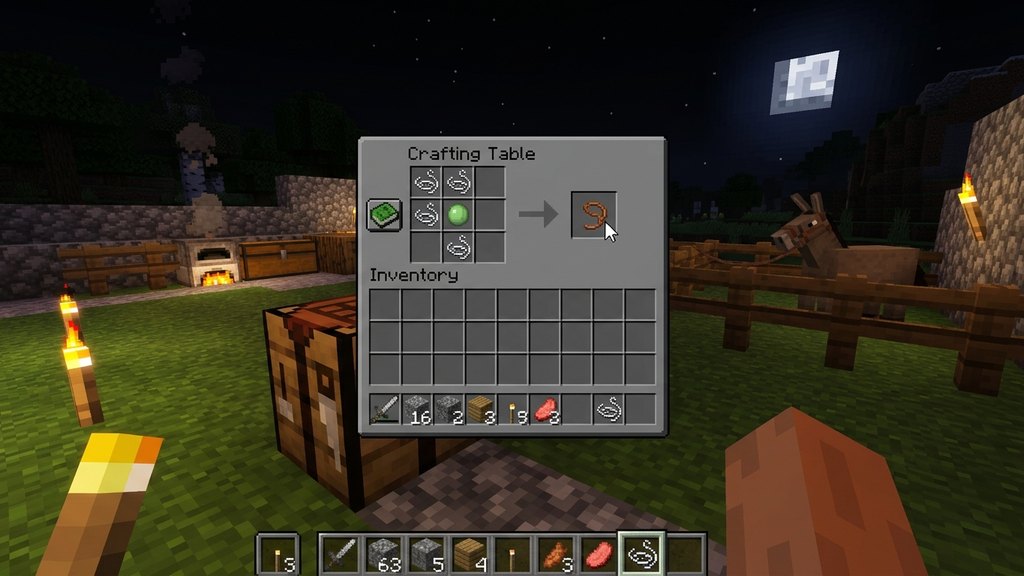
Place your 4 strings and 1 slimeball into the crafting grid. Put 3 strings in the top-left, middle-left, and center-top slots. Place the 4th string in the bottom-right slot. Finally, place your slimeball right in the center slot (surrounded by the strings).
Move the Lead to Your Inventory
Once the correct pattern is placed, the lead will appear in the result box on the right. Simply click and drag the lead into your inventory to finish crafting it and start using it in your world.
Frequently Asked Questions
What mobs can be attached to a lead?
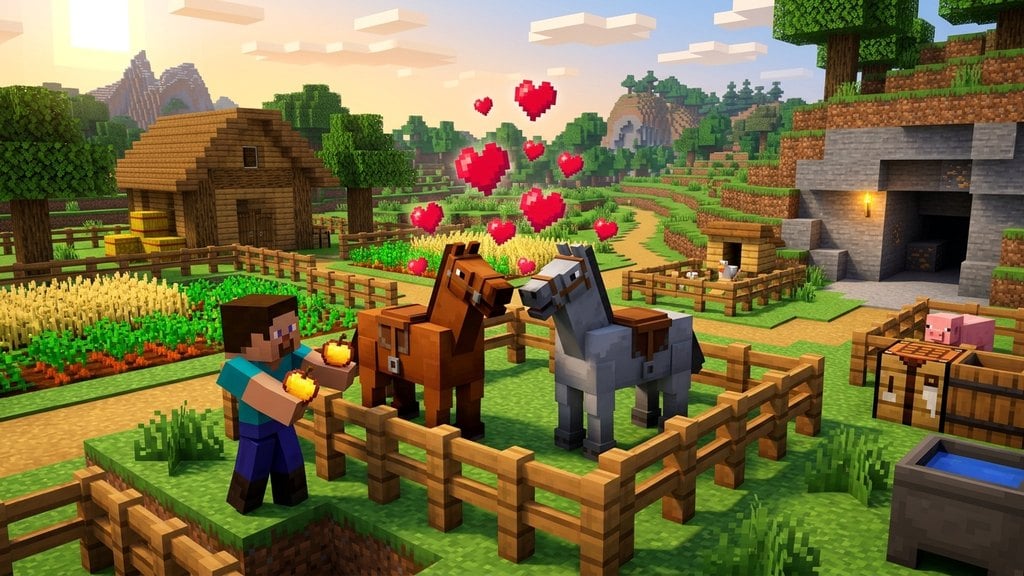
Most passive and neutral mobs like cows, pigs, sheep, chickens, horses, wolves, cats, and even iron golems can be attached to a lead. Some hostile mobs can also be leashed, including monsters like phantoms.
Can I tie a lead to a fence post?
Yes! Right-clicking a fence post while holding a leashed mob will tie the lead to the fence, keeping your animal safely tethered in place until you right-click it again to detach them.